YouTube for work, without the rabbit hole
YouTube is full of useful work material, and everything around the video is built to keep you watching. During a focus session Raami keeps the video you need and takes away what pulls you off it.
Recommendations, end-screen suggestions, comments and Shorts are hidden, and autoplay is off. You still reach videos through search, playlists and channels.
The same video page, before and during a session
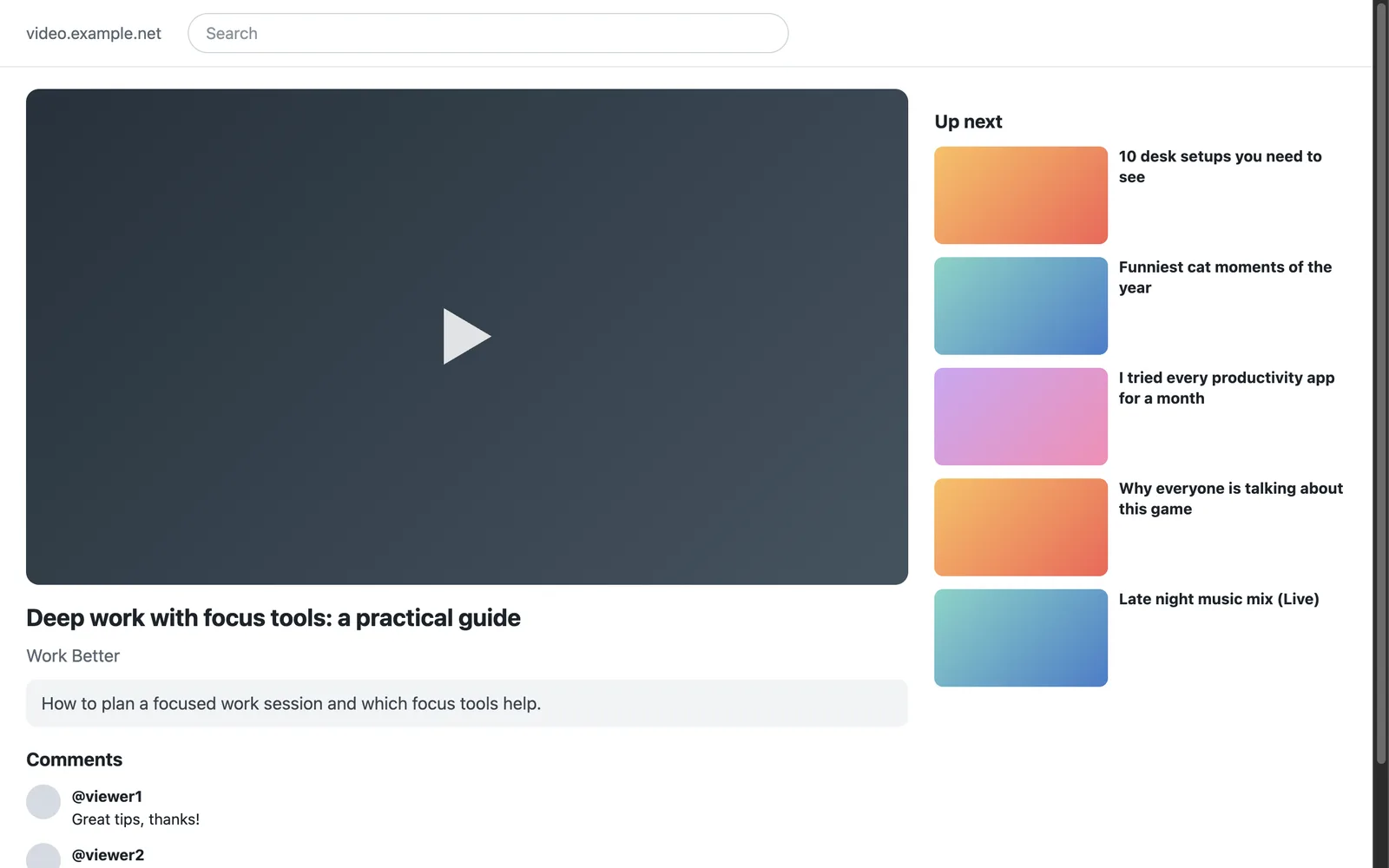
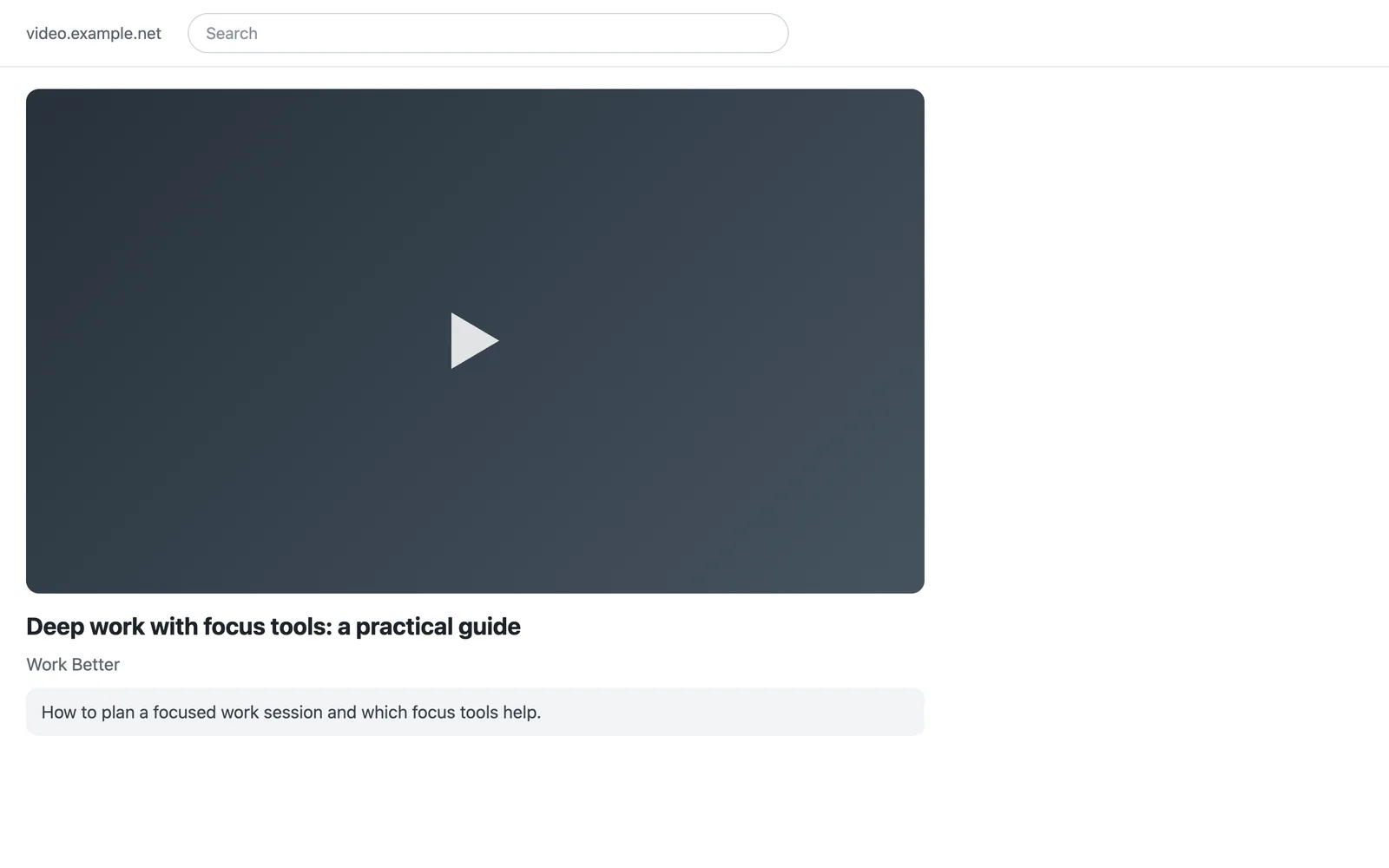
The screenshots show an example video page with the same structure as a YouTube video page. Raami's content script hides the same parts on YouTube. The video, channel and comments are demo data.
What is hidden, and what stays
- Hidden on the video page: recommendations next to and under the video, end-screen suggestions, cards and the Next button, and comments.
- Hidden in search and on channel pages: Shorts and recommendation shelves.
- Hidden on the home page: the feed of recommended videos.
- Closed: Shorts and the feed pages, such as subscriptions.
- Stays: search, the video itself, playlists and channels.
- Autoplay is switched off, so the next video doesn't start by itself.
The hiding works in both modes. In block mode, a video that is one of the task's sources opens without recommendations.
In observe mode, each video is asked about on its own
In observe mode YouTube opens, but Raami keeps watching. Every video is a separate unit, so allowing one video doesn't open the rest of YouTube.
- A video from your own search gets more time. A video you click from another video's page is treated as a recommendation, a jump away from the work.
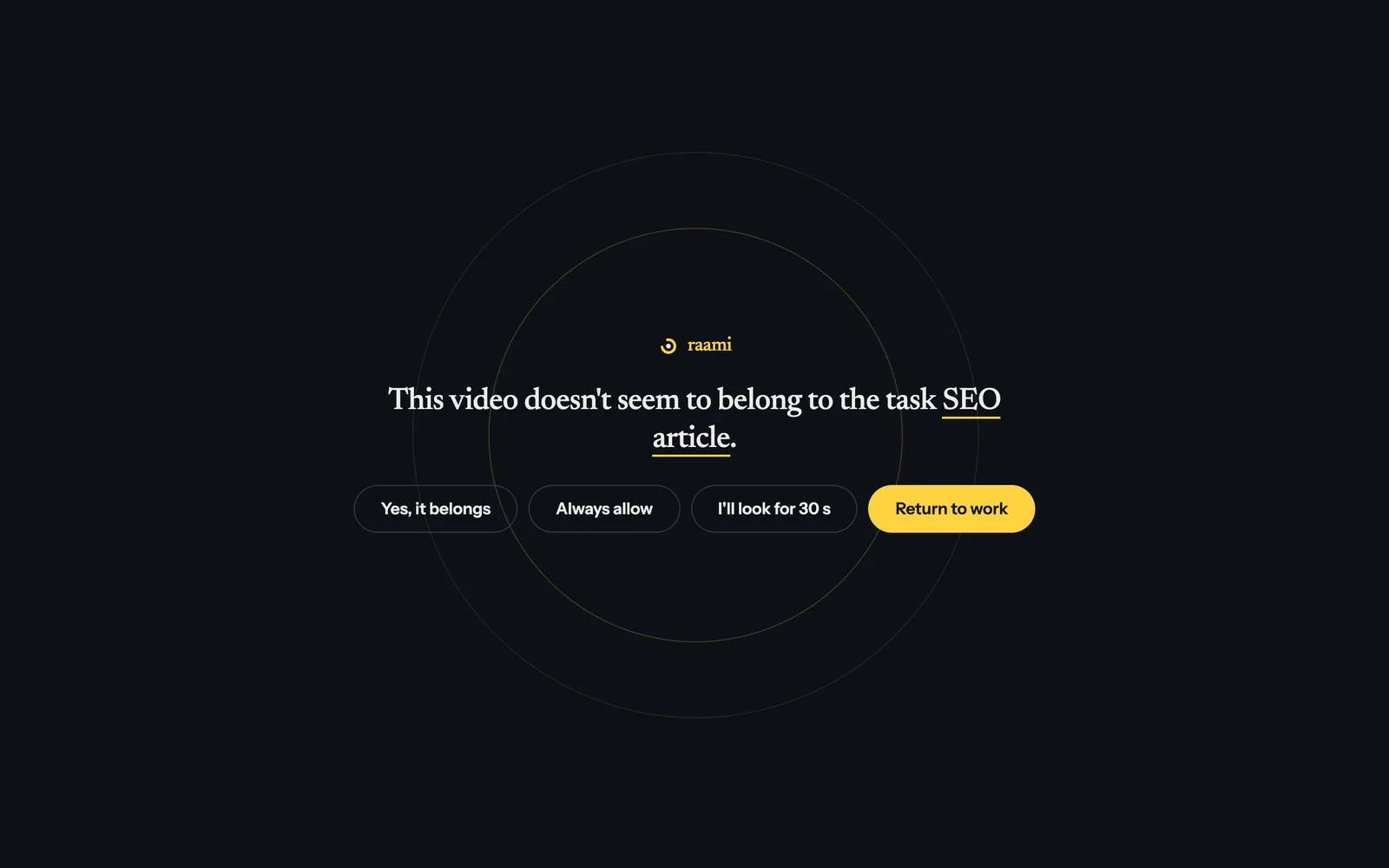
- An entertainment video is asked about within seconds. If the video's category is music, film, comedy, entertainment, games, sport or pets, and nothing in the task says it is about that, the question comes quickly. The same happens when the title and channel don't match the task's keywords. The category comes from YouTube's own page data, so a catchy title can't hide it.
- Time on YouTube adds up. When your time on the site within a task passes 20 minutes, every new video is asked about soon after it starts, and a yes gives the site a new time budget.
- Yes, it belongs adds only that video to the task's sources.
When YouTube is part of the work
If you use YouTube for product research or video editing, say so to the assistant, for example “open youtube.com while observing in this task”. YouTube then opens fully in that task, and the question and the time limit stay in force. To make it apply to every task, add YouTube to Allow while observing in Settings.
Limits
- The mobile site (m.youtube.com) and YouTube videos embedded on other websites are not cleaned up.
- The hiding relies on YouTube's current page structure. When YouTube changes it, some recommendations may show until Raami is updated.
The video's title, channel and category are read on your computer to compare the video with the task. They stay on your computer like the rest of Raami's data.
How Raami works · Reddit without the feed · Back to the Raami overview